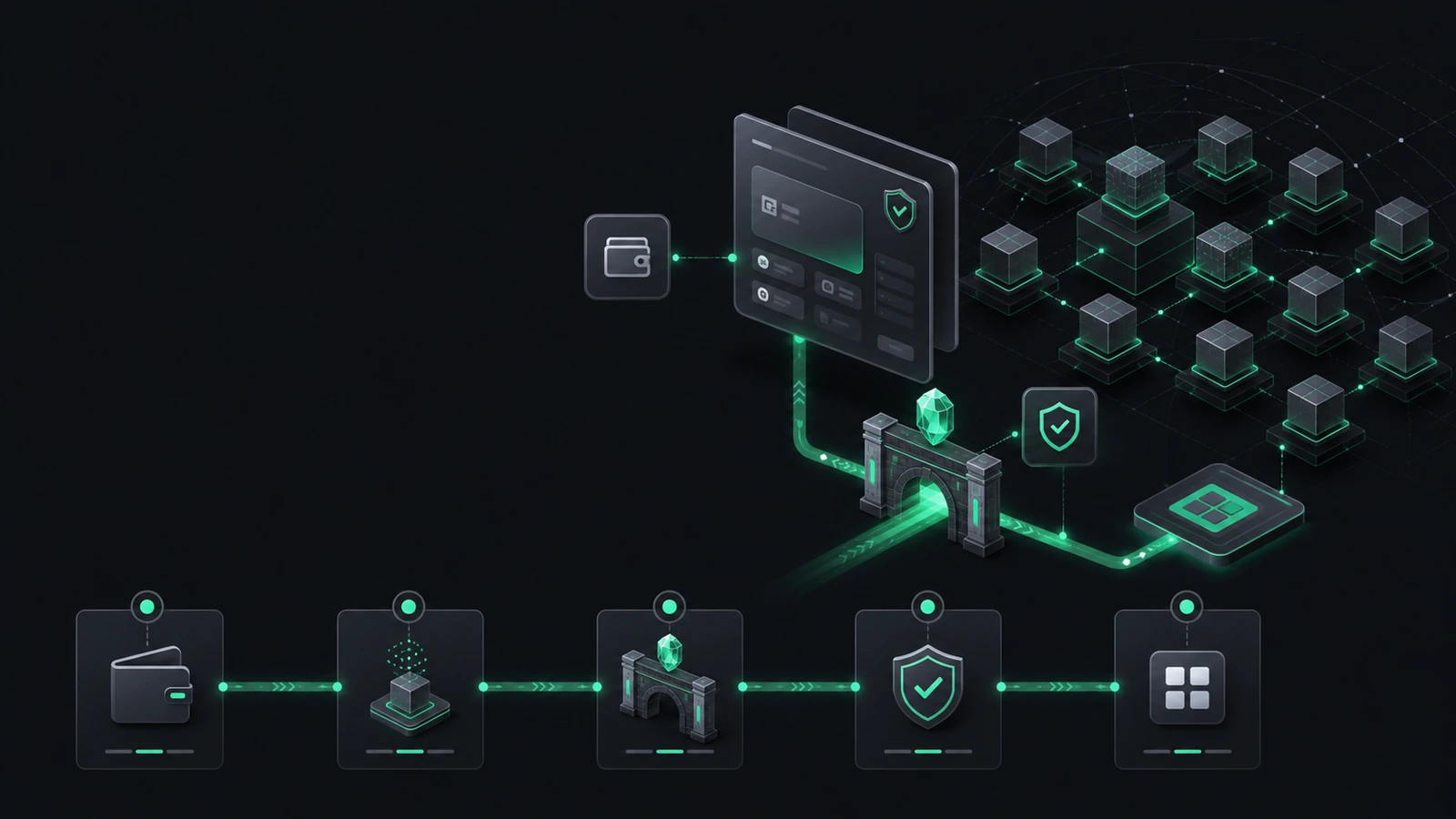
To use Robinhood Chain, connect an EVM-compatible wallet, add the official network configuration, obtain a small amount of ETH for gas, and bridge or receive supported assets. Mainnet uses chain ID 4663, ETH as the currency symbol, the public RPC https://rpc.mainnet.chain.robinhood.com/, and robinhoodchain.blockscout.com as the documented explorer. Verify every application and contract before signing.
Robinhood Chain quick-start checklist
- Use a compatible self-custodial EVM wallet.
-
Add mainnet with Chain ID
4663and the current official RPC. -
Confirm the explorer is
robinhoodchain.blockscout.com. - Obtain a small amount of ETH on Robinhood Chain for gas.
- Open bridge routes from current official documentation, not from search ads or social-media replies.
- Send a small test transaction before moving a larger amount.
- Verify every application URL and contract before connecting.
- Read approvals and signatures before confirming.
Testnet warning:
testnet uses Chain ID
46630
. Testnet ETH and testnet assets have no mainnet value.
- Mainnet chain ID
- 4663
- Public RPC
- https://rpc.mainnet.chain.robinhood.com/
- Currency symbol
- ETH
- Explorer
- https://robinhoodchain.blockscout.com
- Wallet type
- EVM-compatible wallet
- Canonical deposit estimate
- Approximately 10 minutes
- Canonical withdrawal
- Approximately 7-day challenge period plus claim transaction
- Public RPC warning
- Rate-limited; not intended for production-grade applications
Before you start
Using a public blockchain means taking responsibility for addresses, networks, signatures, and recovery information. Begin with a clean browser, an updated wallet, and a small test amount. Do not begin by bridging your full intended balance.
- Confirm that you are using the official Robinhood Chain documentation.
- Use a wallet whose recovery method you understand.
- Keep the seed phrase or recovery credentials offline and private.
- Have ETH on the source network for source-chain gas and enough ETH on Robinhood Chain for destination transactions.
- Check whether the asset or product is legally available to you.
Choose a compatible wallet
Robinhood Chain supports EVM wallets. Official documentation explicitly discusses Robinhood Wallet and browser wallets such as MetaMask and Phantom. Other wallets may work if they support custom EVM networks and standard JSON-RPC connections.
The wallet brand does not determine the safety of a transaction. The website, contract, approval, token, and bridge route still require verification.
Add Robinhood Chain manually
| Property | Mainnet value |
|---|---|
| Network name | Robinhood Chain |
| Chain ID | 4663 |
| Default RPC URL | https://rpc.mainnet.chain.robinhood.com/ |
| Currency symbol | ETH |
| Block explorer | https://robinhoodchain.blockscout.com |
- Open the wallet’s network settings.
- Choose the option to add a custom network.
- Enter the values exactly as shown above.
- Save the network.
- Confirm that the wallet displays Robinhood Chain and chain ID 4663 before sending assets.
Testnet configuration for developers
For development and testing, use chain ID 46630 , RPC https://rpc.testnet.chain.robinhood.com , and explorer https://explorer.testnet.chain.robinhood.com . Testnet assets have no monetary value. Keep testnet and mainnet accounts, contracts, and transaction records clearly labeled.
Get ETH for gas
ETH is the native gas asset. A wallet may show another token balance while still being unable to transact because it has no ETH on Robinhood Chain. Gas is needed for transfers, swaps, approvals, bridge interactions, contract calls, and many recovery actions.
- Keep a separate gas reserve rather than spending the entire ETH balance.
- Do not confuse Ethereum-mainnet ETH with Robinhood Chain ETH; the same asset symbol can exist on different networks.
- A failed transaction can still consume gas.
- Gas estimates can change with network conditions and contract complexity.
Bridge assets to Robinhood Chain
Before using any bridge
- Open the route from current official Robinhood Chain documentation.
- Verify source chain, destination chain, token, and receiving address.
- Distinguish the canonical bridge from third-party routes and aggregators.
- Review fees, minimums, estimated completion time, and withdrawal model.
- Start with a small test transfer.
- Do not assume that a faster route has the same trust model as the canonical bridge.
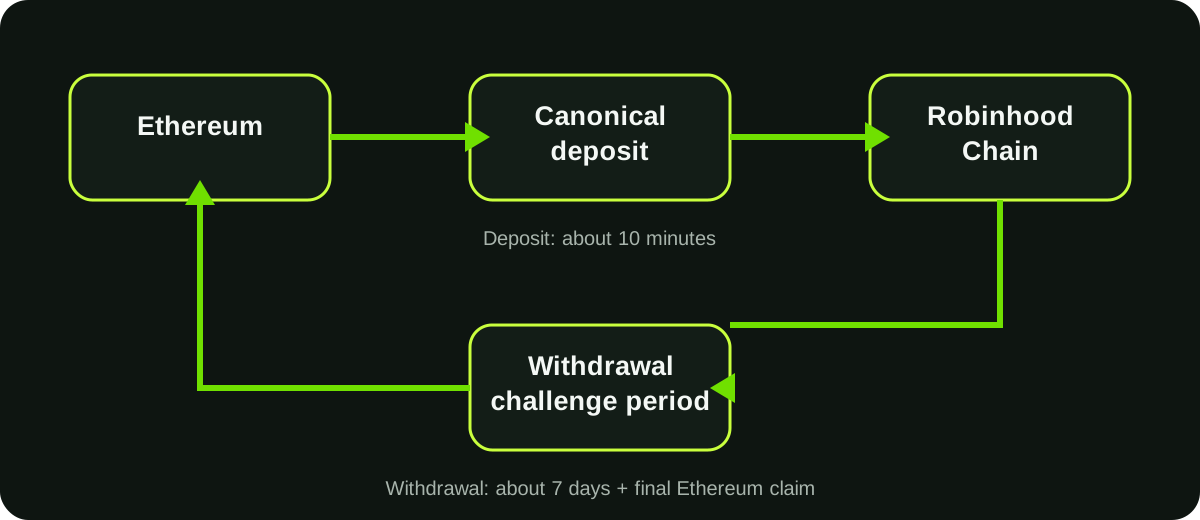
The canonical bridge moves ETH and supported ERC-20 assets between Ethereum and Robinhood Chain. Official documentation describes deposits as typically confirming in about 10 minutes. It also lists partner routes designed for faster or broader cross-chain transfers.
- Open a bridge from a verified primary source.
- Select the correct source network and Robinhood Chain as destination.
- Confirm the asset and amount.
- Review the destination address.
- Check both source-chain gas and expected destination liquidity.
- Approve only the required token amount when possible.
- Submit the transfer and save the transaction hash.
- Verify arrival using the destination explorer.
A faster bridge is not necessarily safer. Third-party routes may introduce liquidity providers, messaging systems, solvers, relayers, aggregators, or additional smart contracts.
Understand canonical withdrawals
A canonical withdrawal from Robinhood Chain to Ethereum is not a one-click instant process. Official documentation describes three stages: initiate on Robinhood Chain, wait through the approximately seven-day challenge period, and claim on Ethereum with a final L1 transaction.
Users frequently mistake the initiated withdrawal for a completed withdrawal. Track the status and reserve ETH on Ethereum for the final claim.
Verify that funds arrived
- Switch the wallet to Robinhood Chain.
- Search the destination address on the official explorer.
- Confirm the transaction status and token contract.
- If the asset is not visible, add the verified token contract rather than searching only by ticker.
- Do not accept unsolicited “support” messages offering to recover a pending transfer.
A missing token display does not always mean the transfer failed; wallet interfaces may not automatically list every token. The block explorer and verified contract address provide better evidence.
Connect to an application safely
- Navigate from a verified official domain or the project’s documented profile.
- Check that the wallet prompt says Robinhood Chain.
- Read the action type: connect, sign message, approve token, permit, swap, or contract interaction.
- Reject unlimited approvals when a smaller amount is sufficient.
- Compare the destination contract with official documentation or the explorer.
- Start with a small transaction.
Connecting a wallet usually reveals an address but does not by itself transfer assets. Signing a malicious message or approval can still authorize harmful actions, so “I only signed” is not a safety guarantee.
Make a first transaction
For a first transaction, choose a simple action with a small value. A basic self-transfer or low-value token transfer is easier to verify than a complex swap or bridge-and-execute operation.
- Confirm network: Robinhood Chain.
- Confirm recipient or contract address.
- Confirm amount and token.
- Review gas estimate.
- Submit once; avoid repeated clicks.
- Record the transaction hash.
- Verify final status in the explorer.
Airdrop and reward warnings
Robinhood Chain uses ETH for gas. No separate official Robinhood Chain token or network airdrop has been publicly confirmed as of the last review date. Points, streaks, quests, or third-party farming guides are not proof of a future distribution.
Do not sign unexplained messages, grant unlimited approvals, or pay a “verification” fee to qualify for a promised airdrop.
Approvals and permissions
ERC-20 approvals allow contracts to move tokens up to an approved amount. This is necessary for many swaps and DeFi operations, but it creates ongoing exposure if the approved contract is compromised or malicious.
- Prefer exact or limited approvals where practical.
- Review active approvals periodically.
- Revoke permissions no longer needed.
- Remember that revocation is itself an onchain transaction and requires gas.
- Moving assets to a fresh wallet may be safer after a suspected key compromise; revoking approvals does not repair an exposed seed phrase.
Troubleshooting
| Problem | Likely checks |
|---|---|
| Wallet shows wrong network | Verify chain ID 4663 and selected network |
| Transaction remains pending | Check explorer, nonce, RPC availability, and gas settings |
| Token does not appear | Verify contract and add token manually |
| Bridge deposit missing | Check source transaction and retryable-ticket status |
| Withdrawal not claimable | Confirm the challenge period has ended |
| Insufficient funds for gas | Acquire ETH on Robinhood Chain |
| Suspicious signature already signed | Disconnect, review approvals, move assets if key compromise is possible |
Tax and recordkeeping considerations
Bridging, swapping, receiving incentives, selling tokens, or redeeming financial products may have different tax consequences depending on jurisdiction. Hoodchain.info does not provide tax advice.
Keep records of transaction hashes, dates, wallet addresses, quantities, fees, acquisition values, disposal values, and distributions. Consult a qualified professional familiar with digital assets and financial securities in your tax jurisdiction.
Frequently asked questions
How do I add Robinhood Chain to MetaMask?
Add a custom network using chain ID 4663, the official public RPC, ETH as the currency symbol, and the documented Blockscout explorer.
Do I need ETH to use Robinhood Chain?
Yes. ETH is used for network gas.
Can I send ETH directly from Ethereum to a Robinhood Chain address?
Use a supported bridge route. A same-format EVM address does not mean a normal Ethereum transfer automatically moves the asset to another network.
How long does the canonical bridge take?
Official documentation describes deposits as about 10 minutes and canonical withdrawals as approximately seven days plus a final claim transaction.
Why can’t I move a token even though I have a balance?
You may lack ETH for gas, be on the wrong network, have a pending nonce, or be interacting with an unsupported or restricted token.
Is the public RPC suitable for an application?
Robinhood states that the public RPC is rate-limited and not intended for production-grade, high-throughput, or latency-sensitive applications.
Primary sources
| Source | Type | Last checked |
|---|---|---|
| Connecting to Robinhood Chain: network configuration and endpoints | Primary source | 2026-07-12 |
| Add Robinhood Chain to a wallet | Primary source | 2026-07-12 |
| Robinhood Chain bridging documentation | Primary source | 2026-07-12 |
| Robinhood Chain Terms of Service | Primary source | 2026-07-12 |
Related updates and guides
Explore current reporting and practical guidance related to this topic.